
Guides
Sequence print shop orders to protect makeready
Schedule print shop orders without delays by sequencing around makeready: group by stock and color, batch finishing, count back from the dock, price the rush.
What to take away
- Makeready is the expensive part of a print job, and sequencing is the part of scheduling that can change it.
- Group by stock first, then by ink and color, then batch finishing the same way.
- Leave slack on purpose. A day with no gap has no capacity to absorb a fault.
- A rush job breaks the grouping, so price it at the setup it causes and the work it pushes back.
- Sequence only jobs with a proof approval, and count back from the dock to find each job's latest approval date.
Makeready is what sequencing can change
Makeready is the expensive part of a print job, and it is the part sequencing can change. Order the day so that setups repeat instead of reset. Five rules do most of the work.
Protect makeready
- Group by stock
- Group by ink and color
- Run light coverage before heavy
- Batch finishing fold patterns
- Leave deliberate slack
- Group by stock. Every change of substrate is a setup, and running three jobs on the same sheet consecutively is worth real hours.
- Group by ink and color within stock. Wash-ups and plate changes are the second largest setup cost.
- Run light coverage before heavy where the sequence allows, so cleanup is shorter.
- Batch the finishing operations the same way. A folder set for one fold pattern should run everything with that pattern before it changes.
- Leave deliberate slack, not accidental slack. A day with no gap has no capacity to absorb a fault, and faults are not rare.
On a single day, three jobs on one sheet run back to back, and the stock changes once. Within each stock, jobs sharing an ink run together, with the light-coverage job ahead of the heavy one. The same grouping then repeats at the folder.
Grouping buys hours that no amount of hurrying recovers. The last rule is where schedules break. A plan that assumes everything runs first time is not a plan, and the shop pays for the optimism in overtime and in dates renegotiated by phone.
Sequence only jobs with an approval
A sequence built on unapproved jobs is built on somebody else's calendar. Between order and approval sit the file, preflight, correction, the proof and the customer's own decision-making. Three of those five steps are outside your control.
Clock starts at approval
- Order received
- File and preflight
- Correction
- Proof sent
- Customer decision
- Approval recorded
- Lead time starts
So write the lead time as working days from approval, put it on the quote, and hold to it. Late approvals then move the delivery date automatically rather than becoming your emergency.
Record the approval itself with the job: who approved, what artifact they were looking at, and when. That record is also the defense if the finished job is disputed, which is why it belongs in the schedule and not only in the file.
Count back from the dock for each approval date
Most shop schedules are built forward from the order date, which is why they slip. Build each job backward instead, so the sequence you chose has a date it must meet and the customer sees which date they hold.
Backward from the dock
- Delivery datecustomer's needed date
- Shippingsubtract delivery time
- Packingsubtract hand work
- Finishingsubtract at realistic rate
- Presssubtract makeready time
- Stocksubtract material lead time
- Proof approvallatest date to tell customer
Work backward from the customer's needed delivery date, subtracting shipping and any delivery you make yourself. Subtract packing and hand work, the stage everyone forgets, which triples when three jobs arrive together.
Subtract finishing at the finishing department's own realistic rate, press time including makeready, and stock lead time where material is not already on the floor. What remains is the latest date proof approval can happen. Tell the customer that date.
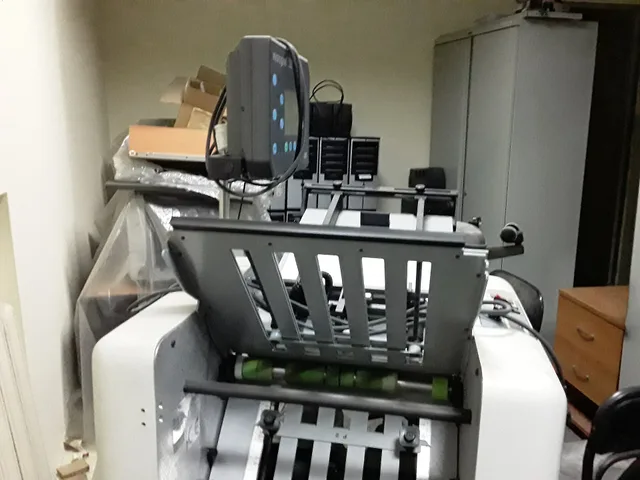
Sequence the finishing line, not just the press
The press is visible, so it gets scheduled. Finishing is where the work stands. Grouping on the press only helps if the finishing line is grouped to match, because that is where a delivery date is won or lost.
Press vs finishing constraint
Press
- Visibility
- high
- Typical time
- afternoon
- Scheduling
- often scheduled
- Queue
- rarely
- Constraint
- sometimes
Finishing
- Visibility
- low
- Typical time
- two days
- Scheduling
- often ignored
- Queue
- usually
- Constraint
- often
Cutting, folding, stitching, drilling and hand assembly are frequently one machine or one skilled person each. A press clears a job in an afternoon and hands it to a folder that needs two days, and a schedule built on press hours shows none of that.
Find the constraint by looking for the queue rather than the activity. Whichever stage has work standing in front of it is the one whose hours are worth sequencing. Load that stage to a realistic level and let everything upstream be paced by it.
Release work at the rate the constraint can absorb. Everything else is a queue with worse visibility. What each machine can run, at what rate and with what changeover, comes from the presses and finishing lines themselves.
What a rush does to the sequence
A rush is not a fee. It is the purchase of capacity that was already sold. Inserting one breaks the stock and color grouping you built, so count what it consumed before you decide what to charge.
What a rush really costs
Consumes
- Grouping break
- shop pays
- Displaced hours
- pushed-back jobs
- Renegotiated promise
- customer service
- Overtime
- payroll
Today
- Grouping break
- makeready at loaded rate
- Displaced hours
- lost contribution
- Renegotiated promise
- real time and goodwill
- Overtime
- premium actually paid
Should cost
- Grouping break
- Displaced hours
- Renegotiated promise
- Overtime
Who pays for it today
- A break in the stock or color grouping
- The shop, in an extra makeready
- Displaced press or finishing hours
- The three jobs pushed back
- A renegotiated promise on other jobs
- The customer service that has to make the calls
- Overtime or a disrupted shift
- Payroll
What it should cost
- A break in the stock or color grouping
- The makeready it caused, at the loaded rate
- Displaced press or finishing hours
- The contribution lost on the constrained stage
- A renegotiated promise on other jobs
- Real time, and goodwill that is hard to price
- Overtime or a disrupted shift
- The premium actually paid
Add those up once, honestly, and you can see what the rush actually consumed. On overtime, the Department of Labor states that employees who are not exempt covered by the Act must receive overtime pay for hours worked over 40 in a workweek at not less than time and one-half their regular rates.
That count shows how many rush jobs a week the shop can absorb before the normal schedule breaks. Decide that number in advance, then see how a price follows from setup and run in the print shop price list.
Check the sequence against what happened
Keep three columns on every job: promised, actual, and where it waited longest. After a month, sort by the gap. The pattern will not be random. It will cluster on a job type, a stage, or a customer whose approvals are always late.
Fix the assumption that produced the wrong promise rather than adding a general buffer to everything, because a general buffer makes you slower on the work that was already fine.
Those job records are ordinary business records. IRS Publication 583 covers keeping business records, and they are what turns a scheduling argument into an arithmetic one. For the map of every place a job can wait, see the workflow guide.
Common questions
How much slack should a week carry?
Enough to absorb one ordinary fault without moving a promise. Shops that carry none spend the saving on overtime, and shops that carry too much lose work to competitors quoting shorter lead times.
Should I quote a range or a date?
A date, from approval, on a stated basis. A range gets remembered at its shorter end by everyone who reads it.
What do I do about a customer who always approves late?
Tell them what it costs them, in writing, in the form of the delivery date moving. Most late approvers are not being difficult; they simply do not know the clock has not started.
Is scheduling software worth it for a small shop?
Only after the sequencing rules exist on paper and are being followed. Print MIS and scheduling modules such as EFI PrintSmith, Avanti Slingshot and ShopWorks OnSite schedule what you tell them to. Software applied to an undecided process produces a very detailed picture of a schedule nobody keeps.